Guide
How to send a digital bouquet with music and a message
By Bryan, founder of MyBouquet · Published
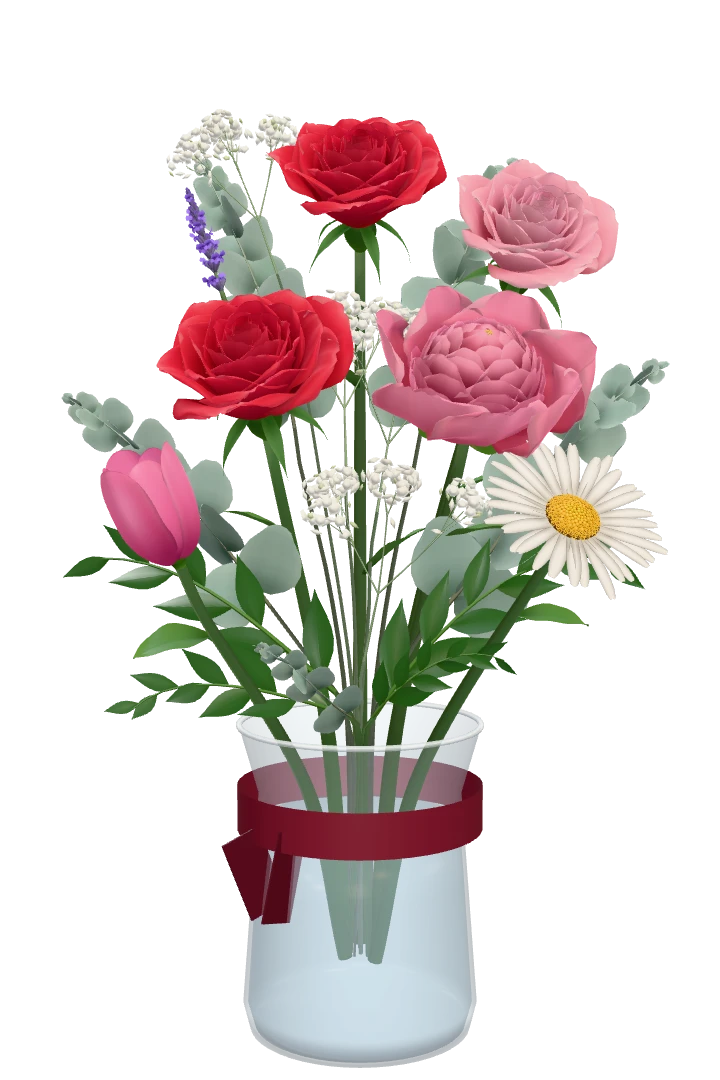
This is a walk through MyBouquet as it actually works today, screen by screen. It takes about two minutes on a phone. You don’t need an account, and neither does the person you send it to. Where the site can’t do something, this guide says so.
First: what a digital bouquet is, and isn’t
A digital bouquet is a link. When the recipient opens it, a bouquet appears on their screen and its flowers open one by one to soft music, with your message and, if you add them, a photo and your voice. Nothing is delivered to a door: if you want real flowers on a table, you need a florist.
What a link can do that a florist can’t: arrive anywhere with internet, at the minute you choose, and carry your own voice. If that is what you are after, read on.
Step 1: say what it’s for
The builder starts with one question: “What is your bouquet for?” There are eight tiles: love, birthday, miss you, sorry, thank you, congrats, get well and just because, with “Something else” under them.
Each answer starts you on a bouquet whose first flower says it: roses for love, peonies for a birthday, forget-me-nots for missing someone, tulips for sorry, daisies for thank you, sunflowers for congratulations, lilies for get well and lavender for just because. If none of the tiles fits, “Something else” starts with a bit of everything. It is a starting point, not a decision: you can change every flower in the next step. Every occasion also has its own page with ideas, if you want to read first.
Step 2: the flowers
You land on the bouquet itself. Tap a flower in the bouquet to take it out, tap one in the row below to add it, and pick its colour. Besides the eight flowers of all year, the row shows the flowers of the season (in winter, for example, the amaryllis and the Christmas rose) and three special flowers, the orchid, the calla lily and the protea, which cost a little more per stem. If you would rather not choose, “Pick for me” fills the bouquet in for you.
Every flower has a meaning, and the recipient can tap a flower to read it. If you want the bouquet to say something specific, the meaning of flowers is worth a look.
Step 3: one flower or a bouquet
There are four sizes. A single flower with a message costs nothing; it carries a small watermark, goes to one person and has no photo or voice.
A bouquet of three flowers is €2.99, seven is €4.99 and twelve is €7.99. You pay once, there is no subscription, and a bouquet comes with a photo, your voice and more than one recipient if you like.
Step 4: vase, ribbon and your message
Pick a vase; with a bouquet there are crystal and brass ones too. Write up to 40 characters on the ribbon around it. Then fill in who it is for, who it is from and your message, up to 500 characters.
Stuck on the words? The message ideas guide has examples for every occasion.
Step 5: a photo and your voice
With a bouquet of three flowers or more, you can add one photo and a voice message of up to 30 seconds. The photo is made smaller on your own phone first, so it saves quickly. Record your message, listen back and redo it as often as you like. If your browser doesn’t allow the microphone, just skip this step: the bouquet works without it.
Step 6: when it opens
Choose “Right away”, or a date and time up to a year ahead. The time is in your own time zone, which the builder shows under the field. Anyone who opens the link before that moment only sees that something is waiting, so you can send the link today for a birthday next week.
Shared ahead of time, the link still shows a picture in the chat: a card saying something is waiting, not the bouquet itself, so the surprise stays a surprise until the moment you chose.
Step 7: check and pay
The overview shows the bouquet the way the recipient will see it, with every choice listed and an “Edit” next to each. Want to send it to several people? Everyone gets their own link, so you can see per person whether they opened it, and every extra recipient costs half.
You pay through Stripe with Apple Pay, Google Pay, your card or PayPal. The single flower skips this step: you create its link straight away.
Step 8: share the link
Your page shows the link, with a button to share it on WhatsApp and one to copy it for any other app: Instagram, a text message, email. On WhatsApp the link usually shows a picture of your bouquet. Come back to the same page later and it tells you when the bouquet was opened.
Tips that save a second try
- Look at it yourself first. On your page after paying, “See it for yourself” opens the bouquet the way the recipient sees it, and your own look never counts as opened.
- Record your voice somewhere quiet, with the phone a hand’s width from your mouth. Thirty seconds is longer than it sounds: three or four sentences.
- Scheduling for midnight? Check the time zone line under the date field, especially if they live abroad. The long-distance guide has worked examples.
- Sending the same bouquet to a whole group? Add the recipients on the overview, so each person has their own link and you can see who opened it.
- Not sure what to write? Write it in a notes app first, then paste it in. The builder saves as you go, so you can also leave and come back to a draft for a few days.
Where to start
If you already know the occasion, its page is a good first stop: the birthday, sorry and get-well pages each start the builder on their own bouquet. For the season, there is a page on a digital Christmas gift, and for a present on short notice one on a last-minute digital gift.
About the music
The music is a soft score that the site plays itself. It isn’t a track you pick, and you can’t upload one. It starts when the recipient taps “Open your bouquet”, and they can turn it off with one tap.
That is a choice, not a gap. A track means something different to everyone, and a quiet score leaves room for the thing that matters most: your message, and your voice if you recorded it.
What the recipient sees
- Who it is for and who it is from, and a button: “Open your bouquet”.
- The flowers opening one by one, to soft music.
- Your message, your photo and a button to play your voice.
- The meaning of each flower, one tap away.
No app and no account: it opens in the browser on any phone, tablet or computer. The bouquet stays online for a year, or ten with “Keep for 10 years” (€1.99). Whoever opens it can often save a short video of it for an Instagram story or a WhatsApp status.
You can see all of this for yourself in the example before you start.